You choose the podcasts
Discover podcasts and build a listening library that reflects your family’s interests and values.
 PodNestPowered by the Portland Kollel
LITTLE LISTENERS. BIG DISCOVERIES.
Give your children the freedom to explore podcasts you trust. Choose their podcasts, approve entire shows or individual episodes, and manage everything from your own online dashboard.
Free for families. Built for peace of mind.
YOUR FAMILY. YOUR LISTENING RULES.
Discover podcasts and build a listening library that reflects your family’s interests and values.
Allow every episode from a podcast, or approve individual episodes before they become available.
Children listen independently in the app. They cannot add podcasts, approve episodes, or change their listening permissions.
You make the content decisions. PodNest gives you the controls.
A LITTLE SETUP. A WORLD OF STORIES.
Sign up for a free PodNest account and set up your children’s listening profiles.
Add podcasts and decide whether to allow every episode or approve episodes individually.
Install PodNest on an Android device, connect it to your child’s profile using a pairing code, and start listening.
Available now on Android. Coming soon to iPhone and iPad.
Children don’t need an email address or password to use the PodNest app.
FOR EVERY “JUST ONE MORE EPISODE.”
Browse approved shows, find the next episode, and settle into a story.
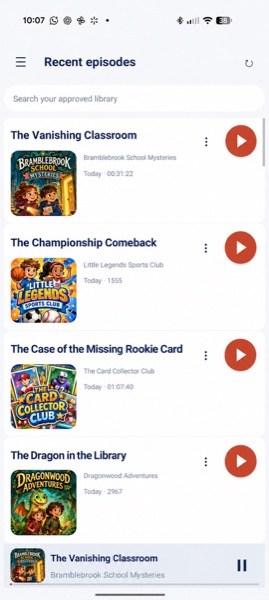
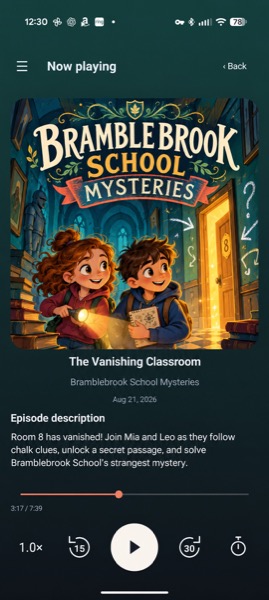
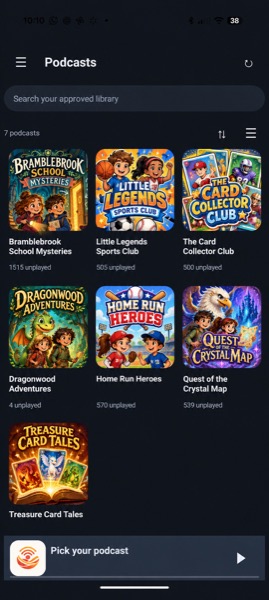
Illustrative app previews with fictional podcast names and artwork. Shown to demonstrate PodNest’s listening experience.
TAKE YOUR LISTENING WITH YOU
Choose podcasts here. Listen in the app.
Coming soon to iPhone and iPad.
A FEW HELPFUL ANSWERS
PodNest is a free family podcast app with parental controls. Parents manage podcasts and episode approvals in an online dashboard, and children listen to their approved library in the Android app.
For each podcast, you choose whether to allow all episodes or select episodes individually. Adding a podcast does not automatically approve it for a child. You manage listening permissions for each child’s profile.
You make the content decisions. PodNest provides the controls to manage access; it does not guarantee that a podcast is suitable for every child. Review the shows and episodes you choose for your family.
Create an account, add a child’s profile, and choose Connect a device in your dashboard to get a pairing code. Enter the code in the PodNest Android app. Children do not need their own email address or password.
Search for podcasts in the parent dashboard using Apple Podcasts or Podcast Index, or add a podcast using its RSS feed URL. Then choose the listening permissions for your child.
PodNest is available now for Android on Google Play. Coming soon to iPhone and iPad.
Contact PodNest support for help getting started. Read our privacy policy or learn about account and data deletion.
ABOUT PODNEST
PodNest is powered by the Portland Kollel. It brings a parent-managed podcast library and a child’s listening app together, so families can choose their own shows, stories and listening rules.
FREE FOR FAMILIES
A little guidance for their next great discovery.
Get Started — FreePodNestPowered by the Portland KollelBack to homeYOUR FAMILY’S LISTENING SPACE
Sign in to manage your family’s listening library.